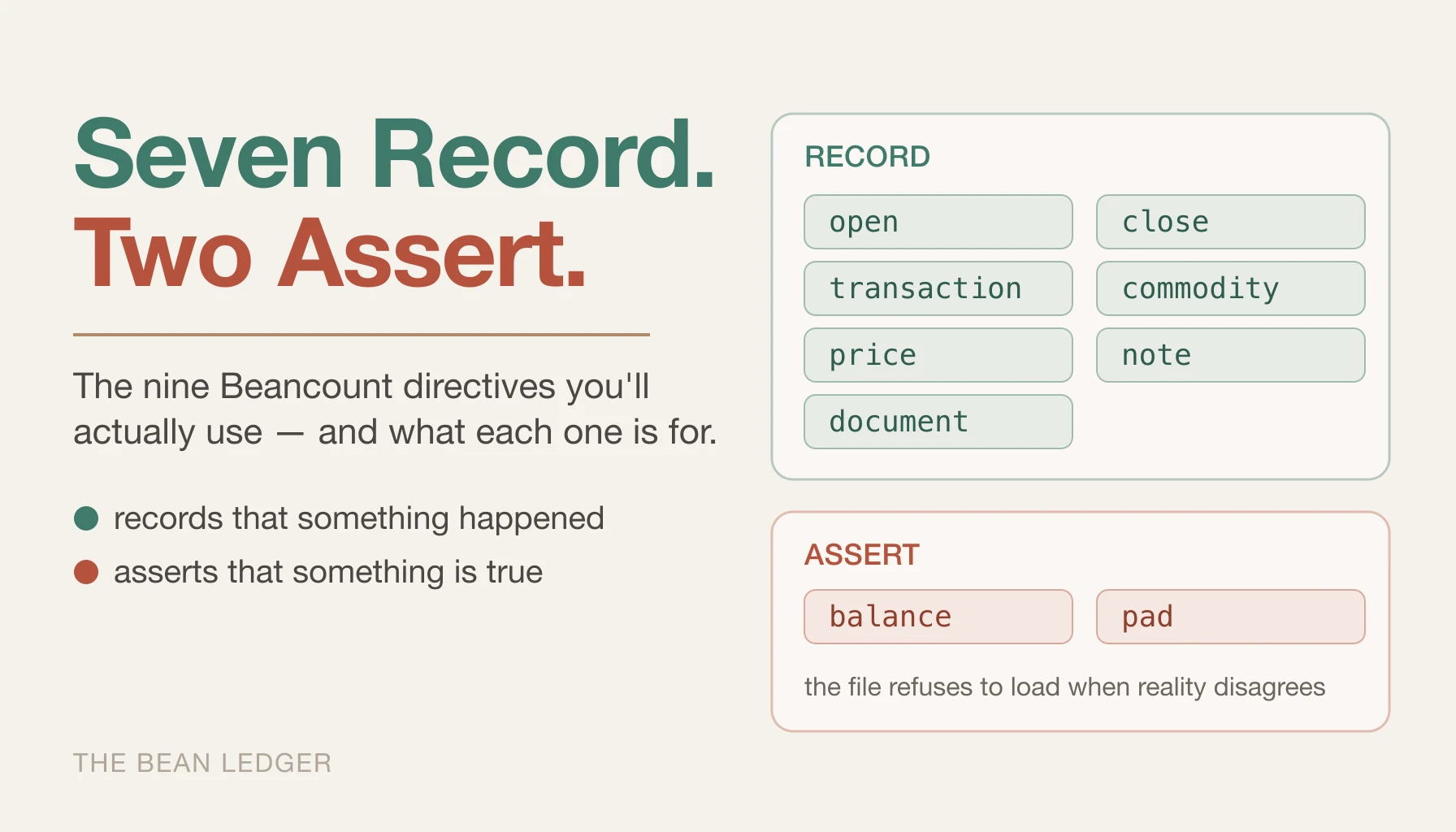
A .beancount file is a stream of directives — dated instructions that either record that something happened or assert that something is true. The asserting ones are what make Beancount stricter than a spreadsheet: when an assertion fails, the file refuses to load, and the error points at exactly where your records and reality diverged.
The language defines more directives than you’ll ever need. The everyday working set is nine of them — seven that record, and two, balance and pad, that assert — and this post covers exactly those.
The Nine Directives
open and close
Before you can post to an account, you have to open it:
2026-01-01 open Assets:Bank:Checking       USD
2026-01-01 open Expenses:Food:Groceries
2026-01-01 open Income:Salary
What follows the account name is an optional list of allowed currencies — a constraint, not a claim that an account holds exactly one thing. USD alone means this account may only ever hold US dollars; USD,EUR would permit both; leave the list off and the account accepts any commodity. Constraining your cash accounts is a cheap safety net — if an importer ever tries to stuff AAPL shares into your checking account, Beancount stops it cold.
close marks an account as no longer in use, which keeps stale accounts out of your reports:
2026-11-30 close Liabilities:StudentLoan
You’ll reach for close when you pay off a loan or leave an employer. It doesn’t delete anything — the account’s past transactions stay intact and auditable. It just tells Beancount to stop expecting activity.
transaction
The workhorse. This is the directive you’ll write hundreds of times a year, so it’s worth knowing its full anatomy:
2026-04-03 * "Trader Joe's" "Weekly groceries" #reimbursable ^team-offsite
    Assets:Bank:Checking      -84.20 USD
    Expenses:Food:Groceries    84.20 USD
Read the postings as a flow: 84.20 USD left checking (negative), 84.20 USD landed in groceries (positive), and the two sum to zero, as they must. Walking left to right across the header line:
- The date comes first.
- The flag —
*means complete and reconciled;!flags the transaction as needing review. When you import data or record something you’re unsure about,!is your “come back to this” marker, and Fava highlights flagged transactions so they don’t get lost. - The payee (
"Trader Joe's") is who the transaction was with — the counterparty you might later filter or total by. - The narration (
"Weekly groceries") is what it was. If you supply only one quoted string, Beancount treats it as the narration and leaves the payee empty, which is fine for most everyday transactions. - Tags (
#reimbursable) attach a label you can filter on later. Here it marks a grocery run the company will pay back; other tags in my file look like#tax-deductibleor#trip-japan-2026. - Links (
^team-offsite) connect related transactions across time. This purchase, the three other expenses from the same offsite, and the eventual reimbursement deposit all carry^team-offsite— so you can pull up the complete story of that one event and confirm it netted out. Where a tag says “this is a kind of thing,” a link says “these specific transactions belong together.”
One convenience worth knowing: you can omit one posting’s amount and Beancount will infer it, since the postings have to sum to zero.
2026-04-03 * "Trader Joe's" "Weekly groceries"
    Assets:Bank:Checking      -84.20 USD
    Expenses:Food:Groceries
Handy, but understand the trade: an inferred posting can never be wrong, because it’s defined as whatever balances the books. You’ve disabled the error check on that leg. The practical rule: leave the expense leg blank if you must, never the asset leg. Your asset accounts get independently verified against bank statements by balance assertions — which we’re about to meet — so an error on the checking line will surface at the next reconciliation where the numbers disagree. An expense account has no external statement to reconcile against; whatever lands there is simply believed.
balance
Here’s where we cross from the recording directives into the asserting ones. A balance directive asserts that an account holds a specific amount, and Beancount refuses to load the file if reality disagrees:
2026-05-01 balance Assets:Bank:Checking 4520.00 USD
Once a month, you open your bank’s website, read the actual balance, and write it down as an assertion. If your ledger agrees with the bank, the file loads clean. If it doesn’t, you’ve missed a transaction, double-counted one, or fat-fingered an amount — and you find out now, one month’s worth of records later, instead of during tax season when the trail has gone cold.
There’s one gotcha that will bite you exactly once, so learn it here: a balance assertion is checked at the start of its date, before any transactions dated that same day. Call it the start-of-day rule. The assertion above verifies the balance as of the beginning of May 1 — it reflects everything through April 30, but not a transaction dated May 1 itself. The rule of thumb that keeps you sane: date each monthly assertion the first of the next month, and it cleanly checks the entire prior month. Get this wrong and you’ll chase a phantom “off by one transaction” error that’s really just off by one day.
pad
The companion to balance. When you start tracking an account that already has money in it, you hit a problem: the balance is, say, 4,520 USD, but you have no transaction history explaining how it got there. You could invent a fake opening transaction — or you could let pad do it:
2026-01-01 pad     Assets:Bank:Checking   Equity:Opening-Balances
2026-01-02 balance Assets:Bank:Checking   4520.00 USD
pad says: insert whatever transaction is needed to make the next balance assertion on this account succeed, and source the money from Equity:Opening-Balances. Beancount computes the difference and auto-generates the padding entry. This is the standard way to bootstrap an existing account — you assert the real balance, pad fills the gap into Equity, and (per the accounting identity from the concepts post) an unexplained starting balance is exactly where Equity belongs.
Never pad away a real error
One warning: use pad for opening balances, not as a lazy way to make a failing assertion pass. If you pad an account that’s off because of a real recording error, you’ve just buried the mistake in Equity — hiding the very discrepancy balance existed to surface.
commodity and price
A commodity is any unit of value you track — currencies like USD, but also stock tickers, crypto, air miles, anything. You declare one like this, optionally hanging metadata off it:
2025-01-01 commodity AAPL
    name: "Apple Inc."
    asset-class: "US Equity"
Declaring commodities isn’t strictly required, but it’s good hygiene, and that metadata block becomes a convenient hook for reports down the line.
A price directive records the exchange rate from one commodity to another on a given day:
2026-04-01 price AAPL 170.00 USD
Prices don’t touch any account balance. They exist so Beancount can layer market value on top of cost. Your ledger always knows you paid 150 USD/share; price directives let Fava also show what those shares are worth today, and the gap between the two is your unrealized gain. The failure mode of skipping them is quiet: without price data, Fava has nothing to value your holdings with except what you paid, so your net worth chart silently shows cost while the market has moved 20% — the number looks precise and is simply stale. Fetching prices automatically is its own topic for another post — here, just know that price is the channel through which market value enters the system.
note and document
Two directives for attaching context to an account rather than moving money. A note is a timestamped free-text annotation:
2026-04-01 note Assets:Bank:Checking "Called about the $12 wire fee; refund promised by 4/15"
A document links a file — a statement PDF, a tax form — to an account and date:
2026-04-01 document Assets:Bank:Checking "documents/2026-03-checking-statement.pdf"
Neither affects a balance. Both put the evidence next to the numbers, and the payoff comes months later. That wire-fee note: when the refund shows up in June as an unlabeled 12 USD credit, the note is what tells you it’s the promised refund and not a bank error to chase. The statement PDF: when a balance assertion fails and you need to diff your ledger against the bank line by line, the source document is one click away instead of buried in an email attachment from last quarter.
Cost Basis: Syntax You Attach to Postings
Cost basis isn’t a directive — it’s syntax that lives inside a transaction’s postings — but you’ll hit it the first week you touch a brokerage account, so it belongs in the working set. Here’s the basic form:
2026-03-15 * "Fidelity" "Buy AAPL"
    Assets:Investments:Brokerage   10 AAPL {150.00 USD}
    Assets:Bank:Checking       -1500.00 USD
The {150.00 USD} in single braces is the cost basis — the price per share. Beancount now records this position not as “10 AAPL” but as “10 AAPL acquired at 150 USD each,” and that distinction is everything when you sell, because capital gains are computed against basis and different lots of the same ticker can carry different bases.
There’s a second form worth knowing: Beancount also accepts double braces for a total cost. {{1500.00 USD}} means “1,500 USD for the whole lot,” and Beancount derives the per-unit figure itself. That’s not cosmetic. The moment you’re dealing with dividend reinvestment or fractional shares, the broker hands you a total dollar amount and an odd fractional share count — and reconstructing per-share cost by hand introduces rounding error the double-brace form avoids entirely. I’ve written a whole post on which form to reach for and why it matters for cost-basis accuracy. For now: single braces for per-share cost, and know the total-cost form is there when you need it.
When bean-check Fails
Most of Beancount’s errors are self-explanatory — Transaction does not balance: (20.00 USD), Invalid reference to unknown account 'Assets:Bank:Chekcing'. The message names the problem and the residual (or the misspelled account) is the fix; you don’t need me to translate. One thing about them is less obvious, though: a Balance failed isn’t always a missing transaction. Recall the start-of-day rule — an assertion dated one day too early fails for a reason that has nothing to do with your records. Check the date before you go looking for a phantom transaction.
What This Post Omits
The title promises the directives you’ll actually use, which means saying what you won’t. The language also defines event (tracking things like your state of residence over time — relevant once multi-state taxes enter the picture), query (storing a named report definition inside the ledger itself, next to the data it reports on), and custom (an escape hatch other tools use to stash their own entries — Fava keeps its settings this way). There’s also a whole plugin system for extending Beancount with Python, and BQL, the SQL-like language for interrogating your data.
You don’t need any of them yet, and the rule for when you will is simple: the nine directives above are for getting data in correctly. Everything in this paragraph is for getting insight out or extending the machine — and both of those only matter once you have months of clean, assertion-checked data worth querying. Reaching for BQL or plugins before your balance assertions pass reliably is optimizing the analytics layer of a pipeline whose ingestion is still broken.
Summary
The nine directives and the one piece of posting syntax this post covered, at a glance:
| Directive | What it does |
|---|---|
open |
Brings an account into existence so you can post to it, optionally constraining which currencies it may hold. |
close |
Marks an account as no longer in use — kept out of reports, but its history stays intact. |
transaction |
Records money flowing between accounts, carrying payee, narration, tags, and links. |
balance |
Asserts an account’s amount as of a date, and refuses to load the file if reality disagrees. |
pad |
Auto-generates the entry needed to satisfy the next balance assertion, sourcing the difference from Equity. |
commodity |
Declares a unit of value — a currency, ticker, or anything else — and optionally attaches metadata to it. |
price |
Records the exchange rate from one commodity to another on a given date, without touching any balance. |
note |
Attaches a timestamped text annotation to an account. |
document |
Links an external file, such as a statement PDF, to an account and date. |
Cost basis isn’t a directive but rides inside a posting: {price} records the per-share cost of a non-cash position, and {{total}} records the cost of the whole lot.